







Image tools that never touch a server
Drop a file below — HEIC, camera RAW, JPG, PNG, WebP, AVIF, TIFF or SVG. Everything runs inside your browser. No account, no watermark, no size limit.
Editor
Convert
Compress
Resize & crop
Photo & ID
Utilities
Why nothing gets uploaded
Almost every free image tool works the same way: you send your photo to a server, it does the work, you download the result. That means your files sit on somebody else's machine, there is a size cap because bandwidth costs money, and you wait in a queue at busy times.
Invo does the work in your browser instead, using WebAssembly builds of the same libraries desktop photo software relies on — libheif for HEIC, LibRaw for camera RAW. Your file is read from your disk into your browser's memory, processed there, and written back to your disk.
Three things follow. Your photos stay private, because they never travel. There is no file size limit, because there is no upload. And once the page has loaded you can disconnect from the internet entirely and the tools still work.
What Invo handles
Reads: JPG, PNG, WebP, GIF, BMP, TIFF, AVIF, HEIC and HEIF, plus camera RAW from Canon (CR2, CR3, CRW), Nikon (NEF, NRW), Sony (ARW, SR2), Fujifilm (RAF), Olympus (ORF), Panasonic (RW2), Pentax (PEF), Samsung (SRW), Leica and Adobe DNG.
Writes: JPG, PNG, WebP, AVIF and PDF.
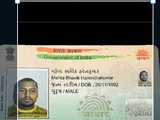
Applying for an exam or a government form?
SSC, UPSC, IBPS, SBI, RRB, NEET and state commissions each publish their own photo and signature upload rules, and a file a few kilobytes outside the range voids the whole application. See every specification in one table, with a tool that prepares both files to it.
Guides
- Why exam photo uploads get rejected — Six causes account for almost every rejection, and none of them is about photography.
- Why HEIC files won't open — Apple switched, the rest of the world mostly did not. Here is what is actually going on.
- Getting photos through online form size limits — Why exam and government portals are so fussy, and how to satisfy them without ending up with an unrecognisable photo.
- JPG, PNG, WebP or AVIF? — Four formats, one decision. Here is the short version and the reasoning behind it.
Built by Tirth Enterprise
Invo is made in Rajkot, Gujarat by Tirth Enterprise. The tools are free and always will be. If something behaves oddly with a particular camera or file, we would like to know.